Product updates
Templates: tell Weeve what to focus on

Dylan de Heer
The default summary in any meeting tool is a reasonable shape for a generic meeting. Which is to say, it's an acceptable answer for a meeting nobody is in.
Real meetings have a job to do. A one-to-one is about people, energy, and what isn't being said. A sales call is about objections, signals, and the specific number on the table at the end. A clinical session needs structure that has nothing in common with either.
Templates are how you tell Weeve which kind of meeting you just had.
What's not in the box
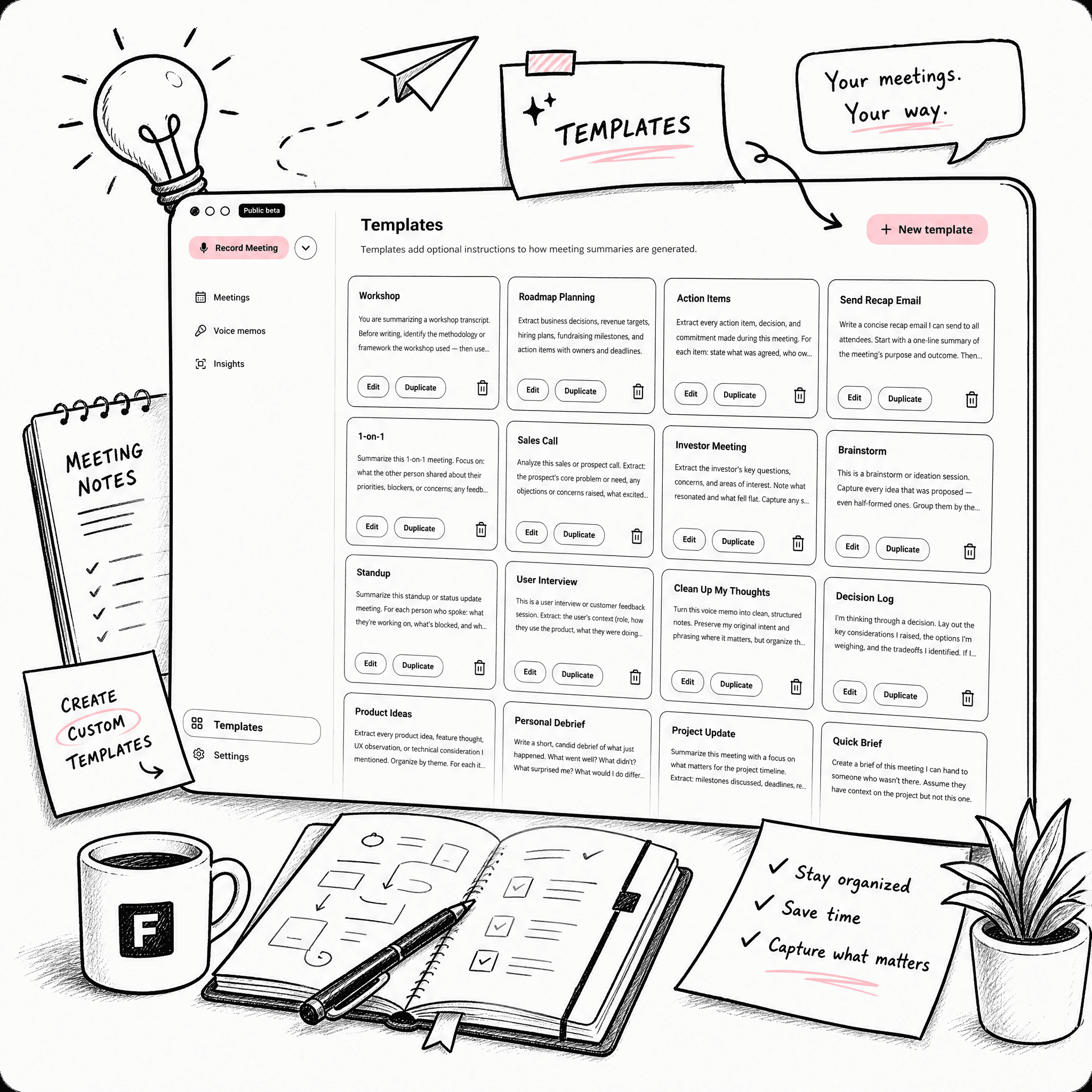
Weeve ships with no templates. The Templates tab opens to an empty page and a "Create your first template" button. There's no starter library, no Best Practices set, no Marketing Discovery Call. The category convention is to ship dozens; we ship zero.
This is on purpose. We don't know which meetings you take. You do. A template that came pre-loaded by us would be, at best, an opinion you'd have to read and discard.
How a template works
A template is two things: a title and a custom instruction. The title is how you'll find it on a busy day. The instruction is what you actually want from the model. "Always include Learnings, Open questions, and To-dos." Or "Track every objection and what we offered in response." Markdown is fine if you like it. Plain English is fine too.
When you save a template, the file lives on your machine under your account. Like everything else in Weeve, it's yours.
You can mark one template as your default. It applies automatically to every new recording until you change it. Marking is per user, so if you share a Mac with someone, your default and theirs don't collide.
What we learned
Two things were less obvious than we expected.
The first was how often people wanted a template per person rather than per category. What you care about with a recurring counterpart turns out to be specific to them in a way "one-to-one" never is.
The second was how much less is more. The templates that try to extract too many things produce summaries that feel thinner, not richer. The best ones we've seen are short and opinionated. Five things to look for. Three to ignore. Done.
What's next
The Templates page got rebuilt in our April release: a cleaner grid, in-place editing, a clearer way to set a default, and an edit modal that doesn't take over the whole window. The empty start is intentional. If you've spent thirty seconds writing your first template, you've already moved further than any pre-built library would have moved you.
The template library is free to browse and copy on any machine. On a Mac, Weeve's free Starter plan applies one to the meeting itself, 10 recordings in total, with the summary written on the device. It needs Apple Silicon and macOS 14.4 or later.