How to organise meeting notes so you can find them later

Dylan de Heer

Organise meeting notes around the way you will look for them: the project, person, date and question you need to answer. Give each meeting one clear home, use a consistent title, preserve the original record and link important decisions back to their source. Then test the system by finding something you actually need.
A beautiful folder structure is optional. Being able to answer “Why did we change the deadline?” without opening twelve documents is the useful result.
This guide starts after the meeting has been captured. It covers organising an existing collection, keeping new notes findable and checking answers drawn from several meetings. If your main difficulty is deciding what to write during the conversation, start with how to take better notes in meetings.
Decide what your notes need to help you retrieve
Before moving files, write three questions you regularly need to answer. For a project lead, they might be:
What did the client agree about the first release?
Which questions remained open after the last review?
Why did the team replace the original approach?
A coach might instead look for a particular conversation and the follow-up agreed with that person. A researcher might need the source of a finding, including the interview context. These are different retrieval jobs, so they need different entry points.
Keep the first version small. You need an existing set of notes or recordings, permission to access them, a place to maintain a short index and a way to preserve links or references to the originals. You do not need to migrate the entire archive or buy another tool before testing the method.
For shared notes, agree who maintains the index and which version people should use. For private notes, decide which material is appropriate to share before making the collection easier for others to access.
1. Give every meeting one primary home
Choose the place where you will open the original meeting record. That might be a recording library, a project workspace or a folder of documents. Use other locations to point to that record instead of silently creating several competing copies.
Asana’s own meeting-notes guidance recommends keeping notes in a designated location and connecting them to the relevant work. That is a useful starting principle even if you use a different tool. Source: Asana’s meeting-notes guide.
“Primary home” does not mean every confidential conversation belongs in a shared folder. It means you know which record is authoritative and who can access it. A private interview can stay private while an approved finding links to an access-controlled source.
For a first pass, choose one active project. Gather links to its recent meetings without deleting or moving the underlying material. Confirm that the links open the intended records. This gives you a reversible starting point and exposes missing access before you reorganise more content.
Expected result: you can identify the original record for each meeting, and a second copy cannot be mistaken for it.
2. Use titles that survive a busy calendar
A title such as “Catch-up” is meaningful on the day and almost useless three months later. Include the stable context and the meeting’s purpose:
2026-10-16 — Harbour pilot — onboarding review
Here, Harbour is a fictional project. The date distinguishes occurrences, the project name groups related work and the purpose tells you which conversation to open. If your app already displays the date prominently, you can keep the title shorter and let the interface carry that field.
Avoid putting every topic into the title. A meeting can discuss onboarding, pricing and implementation; turning those into a long filename makes the whole collection harder to scan. Put secondary topics inside the notes or index.
Use the same project name consistently. If the project changes name, record the earlier name in its index so old references remain understandable. Prefer a small agreed vocabulary to a growing collection of nearly identical labels.
Do not rename historical material that other people link to without checking whether the link will survive. Add a clearer display title or index entry where possible, and test a sample after any change.
Expected result: a list of meetings is understandable without opening every item.
3. Choose a main browsing route, then add cross-links
Projects, people and dates each answer a different question. Choose the route you use most often as the primary structure, then support the others with links, filters or a lightweight index where your tool allows them.
Project-first organisation
Use this when work spans several conversations and participants. A project index can point to discovery, planning, reviews and decisions. The goal is to reconstruct the history of one piece of work, even when the calendar titles differ.
Keep confidential subtopics separate when access requirements differ. Convenience does not justify placing every related conversation in the same audience’s view.
Person-first organisation
Use this when continuity with a person matters: coaching, regular client discussions or recurring one-to-ones. Link each meeting once to the person’s index. Do not rewrite a second copy of the full notes for that index.
Distinguish someone who attended from someone who was merely mentioned. Otherwise, searching by person can suggest they participated in a decision they never heard.
Date-first organisation
Use dates to establish sequence and narrow a search. Dates alone are less useful when you remember the topic but not the week. Pair a chronological archive with a project or person entry point.
If you already work in Obsidian, the Obsidian meeting-notes guide explains a tool-specific linking approach. The general principle here is simpler: one original record can have several routes into it.
4. Separate the source record from the current view
A transcript, a summary, your personal notes and a project status page serve different purposes. Keep those distinctions visible.
The source record tells you what was captured at a particular time. A current project page tells you what people should act on now. Updating the current page should not erase the earlier evidence that explains how the position changed.
For the fictional Harbour pilot, imagine that a Monday meeting discusses a Friday launch, while Thursday’s review moves it to the following week. Keep both meeting records. Update the current project page to the revised date and link to Thursday’s decision. A short note can explain that it supersedes the earlier plan.
This is especially important for action items. “Sam will send the revised scope” records a commitment. It does not prove that Sam sent it. Track completion in the place your team uses for current work, with evidence or confirmation, rather than treating a repeated promise as a completed task. The meeting action-items guide covers that handoff in more detail.

5. Make a short project index with source links
An index should help you choose which meeting to read. It should not become another transcript to maintain.
For each useful meeting, record a compact line containing the date, purpose, source link and one reason you may return to it. For example:
7 October — scope review: source of the agreed pilot boundary.
10 October — onboarding test discussion: source of the unresolved account-access question.
14 October — delivery review: source of the revised launch condition.
These are fictional entries, not actual Weeve customer meetings. Notice that they describe what the source is useful for, without copying its full content.
Add a current-decisions section only if someone will maintain it. Link decisions to their evidence and label unresolved questions explicitly. A decision log can serve that purpose; it should complement the meeting archive rather than replace it.
If the index becomes hard to scan, split by an established project phase or archive completed work. Avoid designing a deep hierarchy for future possibilities you have not encountered. A structure that requires several choices every time you file a note will be harder to keep consistent.
Expected result: the index answers “Which conversation should I open?” and points to the supporting record.
6. Retrieve across recordings with a defined scope
When the question spans several meetings, specify the project or people, the period and the information you want. “What changed in the Harbour pilot’s scope between the planning meeting and the latest review?” is more useful than “Summarise everything.”
Weeve supports questions over saved recordings, with people, project and date scope, and source material that you can open to inspect the answer. Use the scope to identify the relevant meetings, then check the cited passages before relying on a conclusion. See chat with recordings.
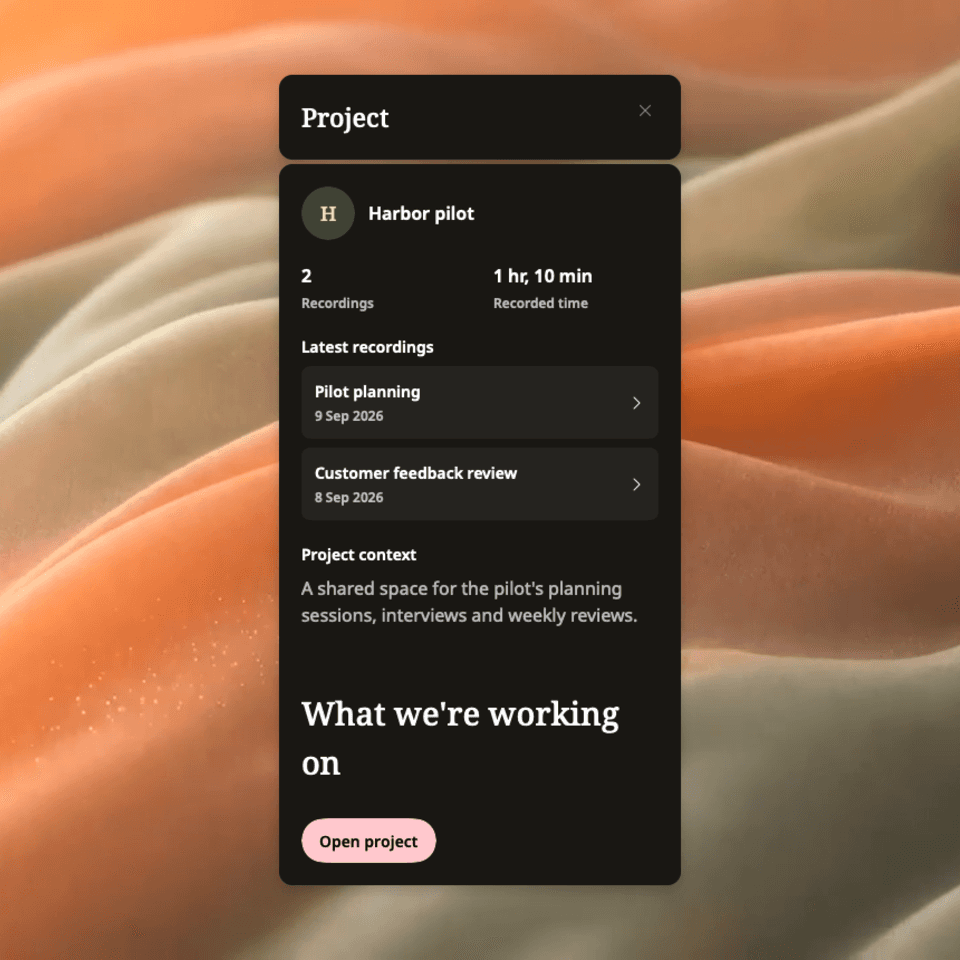
Native Weeve preview with synthetic demonstration content.
A source citation is a route for checking a claim. It does not prove that every relevant meeting was searched, that the transcript is exact or that an omitted event never happened. If an answer says there is no evidence of approval, check which records it used before interpreting that as “approval was refused”.
Keep the processing route in mind as well. Weeve’s local chat and optional external-provider route are different choices; optional ChatGPT processing involves sending relevant text to the provider. Review that choice before using confidential material. The local-first privacy guide provides context for that distinction.
7. Test the system with real retrieval questions
Return to the three questions you wrote at the start. Try answering them using the reorganised collection, without relying on your memory of where the answer should be.
For each answer, check:
Can you find the relevant meeting from the information you remember?
Does the source actually support the answer?
Is there a later record that changes it?
Can the intended reader open the source?
Is uncertainty visible where the record is incomplete?
If the same question fails repeatedly, improve the relevant entry point. A missing project name calls for clearer context. A broken link calls for link repair. Conflicting current summaries call for an agreed current version. Adding more tags will not solve all three problems.
This is a practical check of your own collection, not a benchmark or a promise that a particular tool will retrieve everything.
When you still cannot find a note
Start with simple checks in a safe order. Confirm the account or workspace, clear unnecessary filters, search an alternative project name and inspect the likely date range. Look for an export or link in the place you normally file approved records.
Then distinguish three situations. The record may exist but be poorly described; it may exist somewhere you cannot access; or it may never have been saved. Each needs a different response. Ask the owner for the correct record or permission where appropriate. Do not create a confident reconstruction and label it as the missing original.
For duplicate notes, compare the source and revision history before choosing a primary version. Preserve useful corrections, keep a recovery copy and test inbound links before removing anything. If the underlying recording or file is damaged, use the relevant product’s recovery or support process; an organisation method cannot restore absent data.
Keep maintenance tied to useful work
When a new meeting ends, give it a useful title and home. When a decision changes, update the current project view and preserve the earlier source. When preparing for a review, test whether the collection answers the questions you need.
You do not need to clean the entire archive every week. Maintain the parts that support active work, and retain or dispose of older material according to your organisation’s policy rather than an arbitrary rule from a blog.
Start with one project and a handful of meetings. The system is working when you can find the right conversation, explain why its evidence matters and recognise when a later discussion has changed the answer.

