Research
Local AI meeting notes for Mac: 6 tools that stay offline

Dylan de Heer

Five of the six apps on this page keep your meeting notes on the Mac itself: Weeve, MacWhisper, Anarlog, Meetily and Slipbox. Weeve is the only one that also runs every processing step on the device by default, with no provider to pick and no model to wire up. MacWhisper is local once you download a model. Meetily and Anarlog are fully local only when you point them at a local model. Slipbox transcribes on the device and sends some optional features to the cloud. The sixth app, Jamie, processes in an EU-hosted cloud and deletes the audio after transcription, which is the trade it makes for Windows and mobile access. Working offline is a narrower test than working locally, and only two of the six pass it out of the box. There is a table further down that goes through them one at a time.
You handle conversations other people expect you to keep private: a client session, a legal intake, a patient call, a board discussion. You also want the notes without spending an hour writing them up afterwards. The problem is that most tools solve the second part by breaking the first. A cloud notetaker records the meeting, then sends the audio to a server you do not control so it can be transcribed and summarised somewhere else.
That is why "private AI meeting assistant" has become a loaded phrase. In 2026 it can mean a genuinely different thing depending on which app you download. EU-hosted cloud. Audio deleted after processing. Local transcription with a cloud summary. Bring your own API key. A fully open-source stack you run yourself. Plain Markdown files you own. Each of these is a real privacy model, and each asks something different of you. For teams that want the EU-hosted kind, the privacy-first AI note takers in Europe are compared separately.
This page compares all six local AI meeting notes apps for Mac in detail. You get a summary table, a feature comparison, an honest per-tool breakdown with pricing, and a way to pick based on how much of the privacy work you want the product to do for you.
Local AI meeting notes for Mac: a brief overview
Weeve: the managed local option. Recording, transcription, speaker diarisation, summaries, and storage all run on your Mac, nothing is uploaded, and no bot joins the call. The private path is the default, with no stack to assemble.
Jamie: connected convenience through an EU-hosted cloud. No bot joins, audio is deleted after transcription, and it runs on Mac, Windows, and mobile, so it fits teams that want cross-platform access and accept off-device processing.
MacWhisper: a local transcription workstation for Mac. Strong for batch media, file import, and exports, with a one-off licence rather than a subscription.
Anarlog: open-source and local-first, running on Mac, Windows, and Linux. Notes are stored locally with Markdown export, and you bring your own AI provider. Fully local when paired with a local model.
Meetily: open-source meeting capture across Mac, Windows, and Linux, with configurable transcription and language-model providers. Genuinely local when you run a local model.
Slipbox: local capture with a hybrid architecture. Transcription runs on the device; some cloud features are available through your own API keys.
Tool | Key strength | Starting price | Best for |
|---|---|---|---|
Weeve | AI and recording both stay on the Mac, no setup | Free Starter; Pro EUR 12,99/mo | Privacy-sensitive Mac professionals |
Jamie | EU-hosted cloud, cross-platform, no bot | Free tier; Plus EUR 21/mo billed annually | Teams that need Windows and mobile |
MacWhisper | Local batch transcription and exports | Free; Pro EUR 65 one-off | Transcribing files and media on a Mac |
Anarlog | Open-source, local notes with Markdown export, BYO AI | Free local; Pro USD 15/mo | An open-source, own-your-data workflow |
Meetily | Open-source, configurable, cross-platform | Free and open-source | Technical users who want full control |
Slipbox | Local capture with live cloud assistance | Free Hobby; Pro USD 99/yr | Live meeting help plus local recording |
What does "private" actually mean here?
Privacy in this category is not one setting, it is a spectrum of where the meeting content goes.
At one end, a tool keeps the whole workflow on your device: capture, transcription, summary, and storage never touch an external server. At the other end, the recording leaves for a cloud processor and you rely on that vendor's retention and training promises instead. In between sit hybrid tools that process part of the workflow locally and send the rest to the cloud.
A second axis matters just as much: how much you have to configure. A configurable product can stay fully local, but only if you pick the right speech model, language model, provider, and endpoint. That is real control, and it is also real work. One wrong provider setting quietly moves the privacy boundary. The distinction this page keeps coming back to is managed locality: whether the private path is the product's default, or something you have to build and maintain yourself.
Which of these actually work offline?
"Local" and "offline" get used as if they mean the same thing and they do not. Local describes where the processing happens. Offline describes whether it happens at all with the wifi turned off. A tool can be local and still refuse to work on a plane, and several tools marketed as offline are doing the work in someone else's data centre.
Tool | Records and transcribes with no connection? | What still needs internet |
|---|---|---|
Weeve | Yes, once the models have downloaded | Sign-in, billing, app updates and the first model download |
MacWhisper | Yes, once a model has downloaded | The model download itself |
Meetily | Only if you point it at a local model | Whichever provider you configured, if you chose a cloud one |
Anarlog | Only if you pair it with a local engine such as Ollama or LM Studio | Whichever provider you chose, if that provider is a cloud one |
Slipbox | Recording and transcription yes, the assistant no | The live "ask anything" feature and the semantic search |
Jamie | No | Transcription and summaries both happen in its EU cloud |
Two work offline out of the box. Two more can be made to, if you take on the job of choosing a local model. One records offline and thinks online. One does not work offline at all.
The honest caveat applies to every local tool including ours: the first run needs a connection, because the model has to come down from somewhere. Weeve downloads Parakeet for transcription and either Qwen or Gemma 4 for summaries, picked according to how much hardware the Mac has. After that download, a meeting recorded on a plane behaves exactly like one recorded at a desk. Weeve still reaches the network for sign-in, billing and updates, none of which carry meeting content.
How do the private AI meeting assistants compare?
Feature | Weeve | Jamie | MacWhisper | Anarlog | Meetily | Slipbox |
|---|---|---|---|---|---|---|
Where AI processing happens | On the Mac | EU-hosted cloud | On the Mac | Your choice, local or cloud | Your choice, local or cloud | Local transcription, optional cloud |
Where recordings are stored | On the Mac | Cloud, audio deleted after transcription | On the Mac | Local database on your device, Markdown export | On your machine | On the device |
Bot joins the meeting | No | No | No | No | No | No |
Works with Zoom, Meet, Teams | Yes, captures Mac audio | Yes | Yes, captures Mac audio | Yes | Yes | Yes, captures Mac audio |
Speaker diarisation | Yes, on-device | Yes | Yes | Depends on model | Yes | Yes |
Summaries | On-device local models | Cloud | Local models | Your chosen AI provider | Your chosen AI provider | Cloud features |
Setup required | None, works out of the box | Account sign-up | Model download | Pick and wire your own AI | Install and configure providers | Enable optional cloud features |
Platforms | Mac only | Mac, Windows, iPhone, Android | Mac only | Mac, Windows, Linux | Mac, Windows, Linux | Mac, iPhone |
Mobile app | No | Yes | No | No | No | Yes (iPhone) |
Team plan | No | Yes | No | Pro cloud tier | Self-hosted | Enterprise tier |
Open source | No | No | No | Yes | Yes | No |
Starting price | Free Starter; Pro EUR 12,99/mo | Free; Plus EUR 21/mo | Free; Pro EUR 65 one-off | Free local; Pro USD 15/mo | Free | Free Hobby; Pro USD 99/yr |
Currencies differ by vendor and are shown in each vendor's own currency. Every price here is worth confirming on the vendor's own pricing page before you buy, since this category changes its plans often.
1. Weeve: best for keeping the AI and your data on your Mac
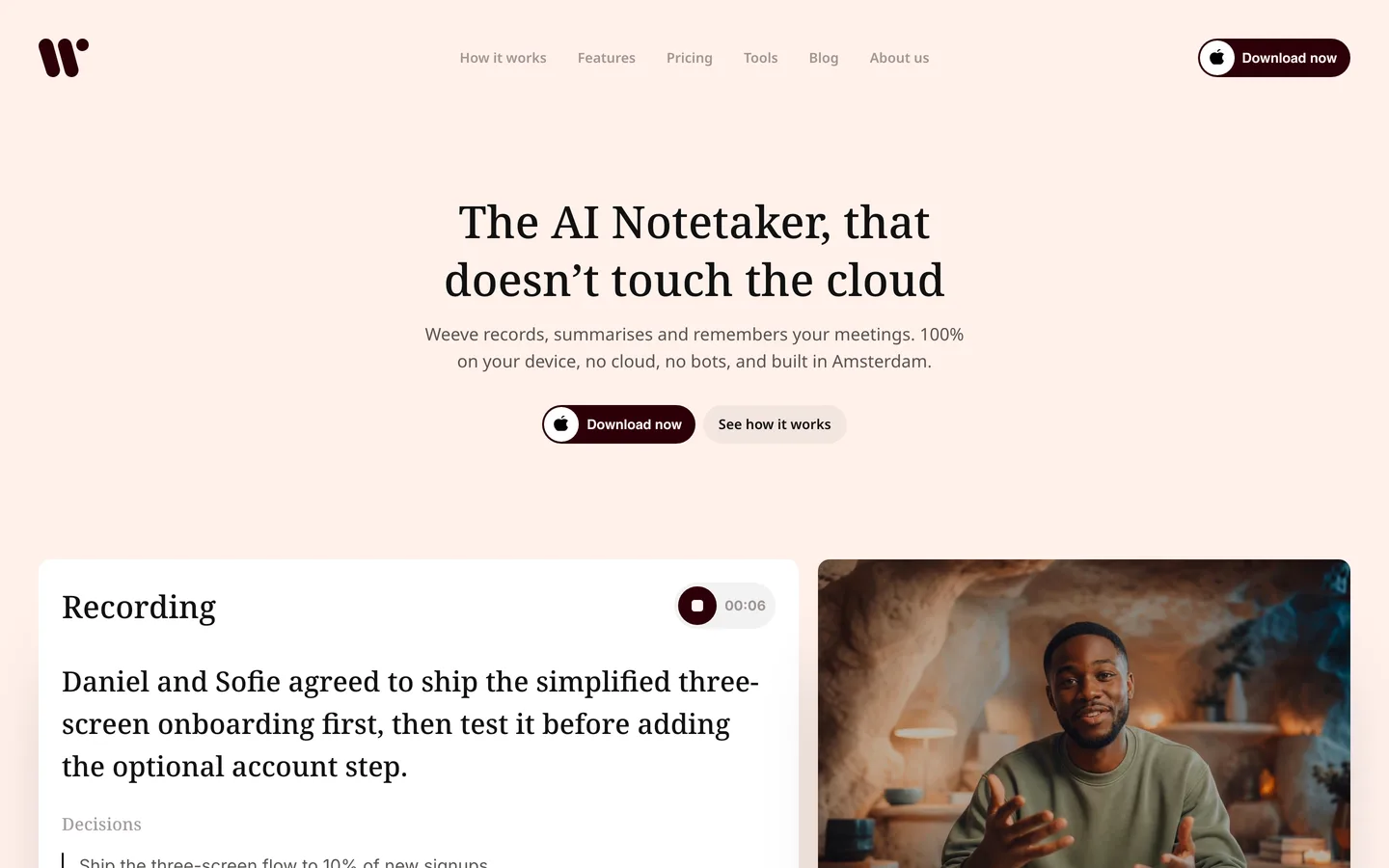
You came here because a recording of a confidential conversation should not sit on a server you cannot see. Weeve answers that at the architecture level. You record the microphone and system audio on your Mac, the Mac transcribes and separates speakers using FluidAudio for speaker detection, a local model writes the summary, and the content stays in local app storage. There is no upload step, and no bot appears in the call as a visible participant. The honest consent framing still applies: ask the people in the room before you record. On-device processing means the recording never leaves the room, but it does not ask for permission on your behalf. That distinction is a professional duty rather than a preference in regulated work, which is why lawyers using AI note takers have to clear a consent test no architecture choice can answer for them.
What sets Weeve apart from the other local tools here is that the private path is the default, not a configuration you assemble. You do not choose a provider matrix or run a self-hosting project. You install it, and recording, diarisation and local summaries work out of the box. The same workflow handles a Zoom call, an in-person meeting across a table, and an old audio file you import later, which matters because sensitive work does not arrive in one format. The Mac-specific detail, from requirements to what runs where, is on the AI notetaker for Mac page.
Key features
Recording, transcription, speaker diarisation, and summaries all run on the Mac
No bot joins the call; Weeve captures the Mac's own audio
Works with Zoom, Google Meet, and Microsoft Teams with no integration to install
Imports audio and video files, including MP4, and transcribes them locally
Projects and templates to organise notes, plus everyday dictation
Local AI models, with announced support for Gemma 4 summaries
Best use cases
A therapist running 20 client sessions a week who cannot put session audio in the cloud
A notary or small legal practice keeping privileged conversations on the device
A consultant who moves between video calls and in-person client meetings and wants one local workflow for both
Pricing
Free Starter plan: EUR 0, 10 recordings in total, 2 projects
Pro: EUR 12,99 a month excl. VAT, unlimited recordings and projects
Pros
Both the AI and the recording stay on the Mac, so there is no cloud retention promise to audit
No bot in the participant list, which removes an awkward moment with clients
No upload step means no upload step to fail mid-meeting
Built by two founders in Amsterdam, backed by Achmea Impact Ventures, a useful trust credential for risk-sensitive buyers
Cons
Mac only today: no Windows and no mobile app
Summaries arrive after the call rather than live, and speaker labels can need a correction
You own device security and backups, which is the trade-off for keeping the data local
If you want to try the private path first, you can download Weeve for Mac and start on the free Starter plan.
2. Jamie: best for cross-platform teams that accept cloud processing
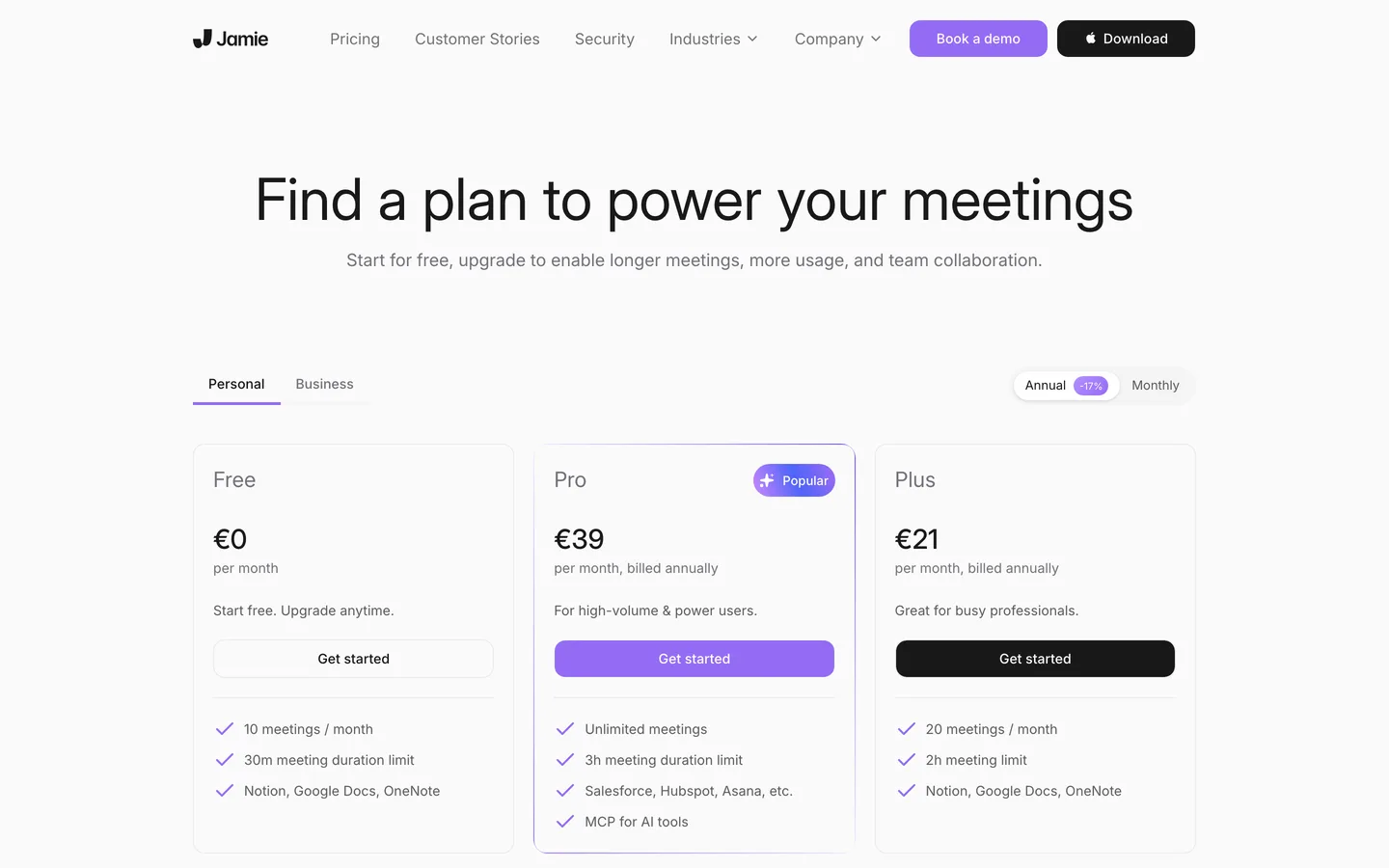
Jamie is the connected-convenience option. It records without adding a bot to the call, then processes the audio in an EU-hosted cloud and returns structured notes, transcripts, and action items in 99+ languages. Its own site states that meeting audio is deleted after transcription and that customer data is not used to train models, with GDPR compliance and EU data residency. For an organisation that has decided the cloud is acceptable as long as it is EU-hosted and does not train on their content, that is a defensible position.
Jamie's real advantage over the local tools on this page is reach. It runs on Mac, Windows, iPhone, and Android, so the notes follow you across devices. The switch reason, if privacy is your priority, is equally plain: the recording is processed off your device on someone else's servers, and you are trusting a retention and training policy rather than an architecture where the audio never leaves.
Key features
No bot joins; Jamie captures audio on the device
EU-hosted processing with stated EU data residency
Transcripts, summaries, and action items in 99+ languages
Apps for Mac, Windows, iPhone, and Android
Best use cases
A distributed team on mixed hardware that needs notes on every device
Users who want mobile capture as well as desktop
Pricing
Free: EUR 0, 10 meetings a month, 30-minute limit
Plus: EUR 21 a month billed annually, 20 meetings a month
Pro: EUR 39 a month billed annually, unlimited meetings
Pros
Genuine cross-platform and mobile support
Audio deleted after transcription, per Jamie's own policy
Stated policy of not training models on customer data
Cons
The recording is processed in the cloud, off your device
Privacy rests on a retention promise, not on the audio staying local
3. MacWhisper: best for transcribing files and media on a Mac
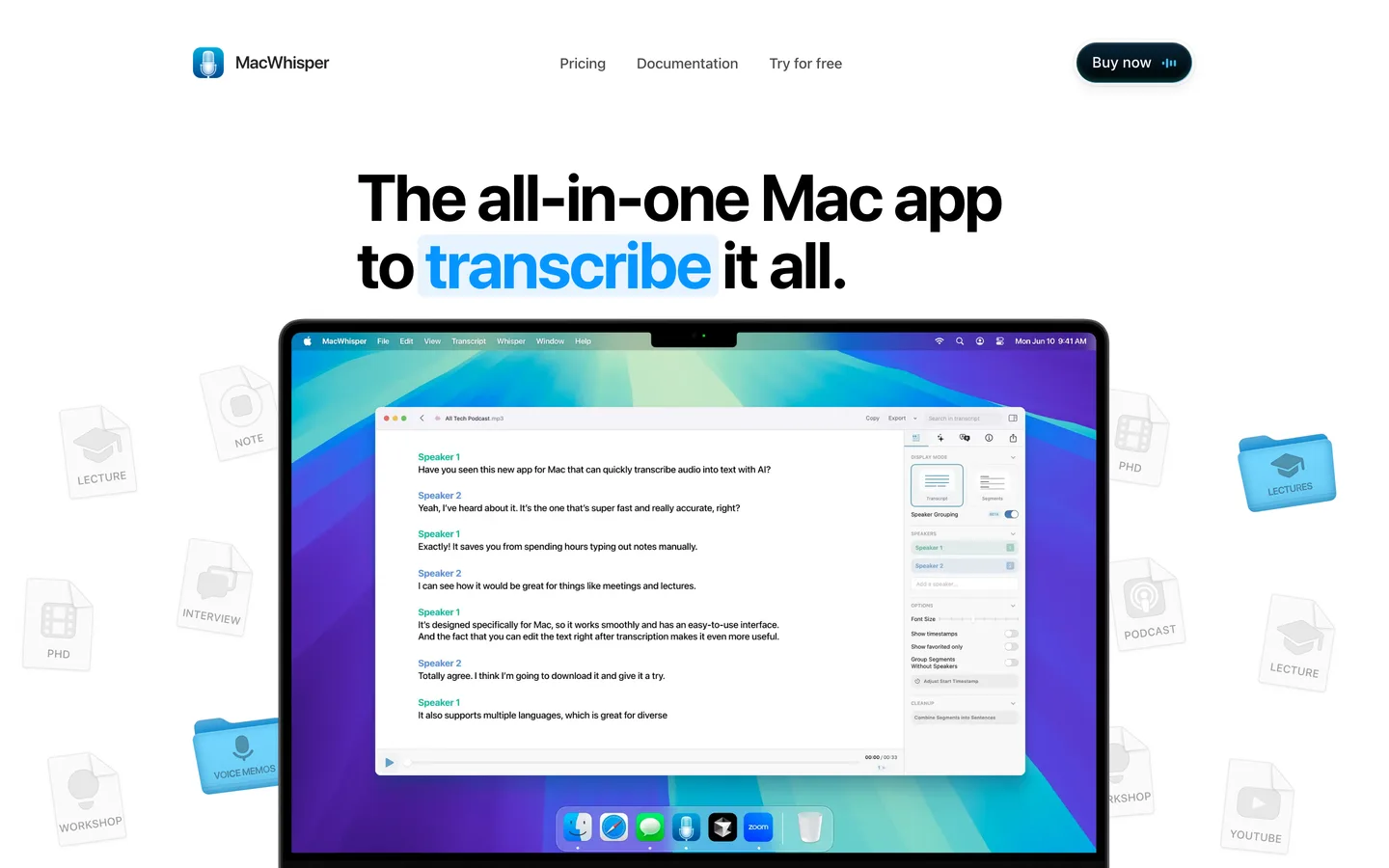
MacWhisper is a local transcription workstation rather than a meeting-memory product. It runs Whisper-family models on the Mac to transcribe audio and video without the data leaving the machine, and it is strong at the jobs a meeting tool treats as secondary: batch transcription of many files, drag-and-drop import, speaker recognition, and a wide range of exports including SRT, VTT, TXT, Markdown, PDF, and DOCX. It can also record calls on Zoom, Teams, and similar apps without a bot, and it includes system-wide dictation.
Where it differs from Weeve is scope. MacWhisper is built around transcribing content, not around projects, templates, and organised meeting memory. If your main need is turning a stack of recordings or media files into accurate local text, it is excellent, and the one-off licence is a genuinely different pricing model from a subscription.
Key features
Local Whisper-based transcription, nothing uploaded
Batch transcription and drag-and-drop file import
Records Zoom, Teams, and other calls without a bot
Speaker recognition and exports to SRT, VTT, TXT, MD, PDF, and DOCX
System-wide dictation
Best use cases
A journalist or researcher transcribing interviews and media files locally
Anyone who prefers a one-off purchase to a subscription
Pricing
Free: EUR 0, forever
Pro: EUR 65 one-off licence with lifetime updates
Pros
Fully local transcription on the Mac
Strong batch and export tooling
One-time cost rather than a recurring fee
Cons
Built for transcription, not organised meeting memory with projects
The MacWhisper app is Mac only; the same maker's iOS transcription app is a separate product MacWhisper handles the transcription locally and stops there. If you want the organised meeting memory as well, that is what Weeve's projects are for, and it stays on the Mac too. The free Starter plan covers 10 recordings in total.
4. Anarlog: best for an open-source, own-your-data workflow
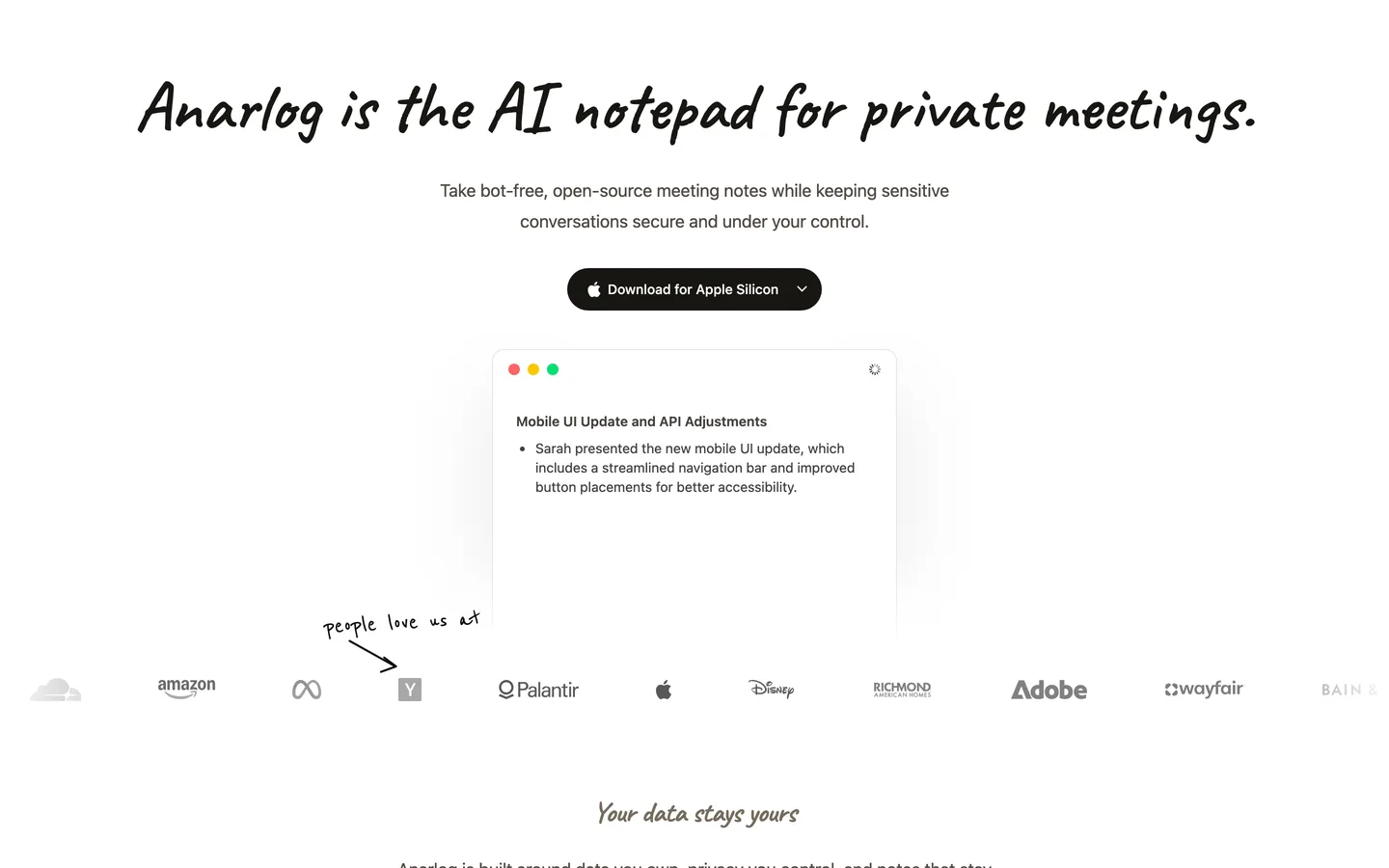
Anarlog is the open-source, own-your-data option. It records meetings without a bot and stores your notes locally on your device, with Markdown export when you want portable files. It runs on Mac, Windows, and Linux. It is bring-your-own-AI: you connect the provider you want for summaries, from OpenAI, Anthropic, Gemini, or OpenRouter to local engines like Ollama and LM Studio. Paired with a local engine, both transcription and summarisation run entirely on your machine.
That openness is the appeal and the cost. Anarlog gives you portability and control that a closed app cannot, but it also asks you to choose and wire up your own AI stack, and the privacy boundary depends on that choice. This is the same genuinely local capability as Weeve, offered as an open toolkit rather than a managed default.
Key features
Records without a bot, notes stored locally with Markdown export
Bring-your-own AI: OpenAI, Anthropic, Gemini, OpenRouter, Ollama, or LM Studio
Fully local when paired with a local model
Runs on Mac, Windows, and Linux
Best use cases
A developer or power user who wants notes as portable, version-controlled files
Anyone committed to a plain-text, own-your-data workflow
Pricing
Free forever for local transcription and bring-your-own-key use
Pro: USD 15 a month, or USD 150 a year
Pros
Open source and genuinely local with a local model
Notes export to portable Markdown, and the data stays on your device
Flexible choice of AI provider
Cons
You assemble and maintain the AI stack yourself
The privacy boundary moves with the provider you choose
5. Meetily: best for technical users who want full control
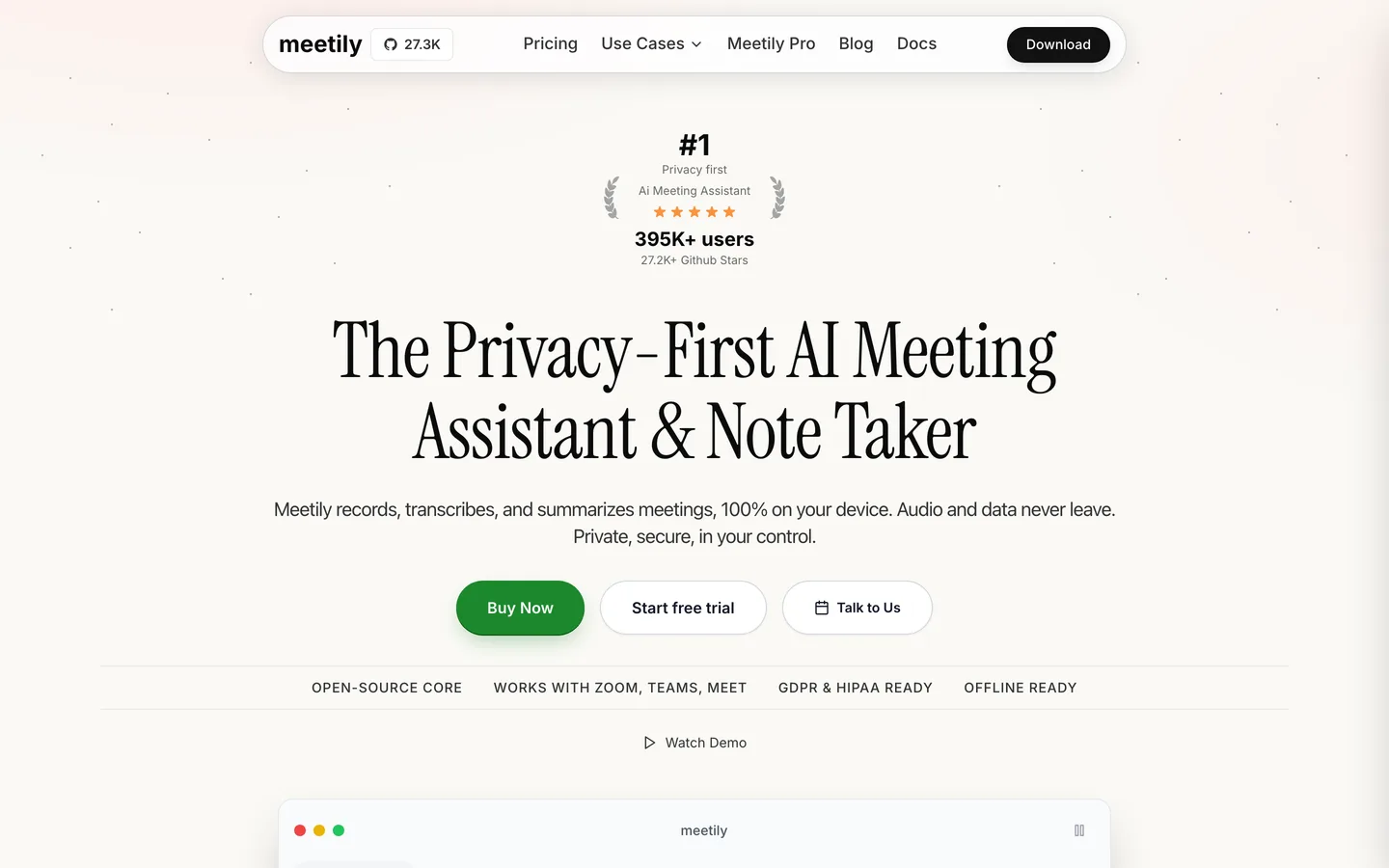
Meetily is an open-source, self-hostable meeting assistant under an MIT licence. Its README states that all processing is done on your machine and that no data leaves your computer, and it runs on macOS, Windows, and Linux. It is genuinely local, not local with an asterisk: run it with Ollama and both transcription and summaries stay on the device. It also lets you point it at other providers, including Claude, Groq, OpenRouter, or a custom OpenAI-compatible endpoint, which is what makes it a fit for organisations with their own AI infrastructure.
The contrast with Weeve is philosophy, not privacy. Meetily is open, configurable, and technical, aimed at people who want to choose their own models and are comfortable installing and maintaining the setup. Weeve is the opinionated, no-setup counterpart for a non-technical professional who wants the private path to work out of the box. Meetily is also the only tool here besides Jamie that runs on Windows and Linux, which is a real advantage if you are not on a Mac.
Key features
Open-source, MIT-licensed, self-hostable
Fully local processing with a local model such as Ollama
Configurable transcription and language-model providers
Runs on macOS, Windows, and Linux
Best use cases
A technical team that wants to self-host and pick its own models
Non-Mac users who still want a local-capable assistant
Pricing
Community edition: free and open-source
Meetily Pro: paid tier with higher accuracy and more features
Pros
Genuinely local and open-source
Cross-platform, including Windows and Linux
Provider flexibility for custom AI infrastructure
Cons
Setup and maintenance expect technical comfort
No managed, no-setup experience
6. Slipbox: best for live meeting help plus local capture
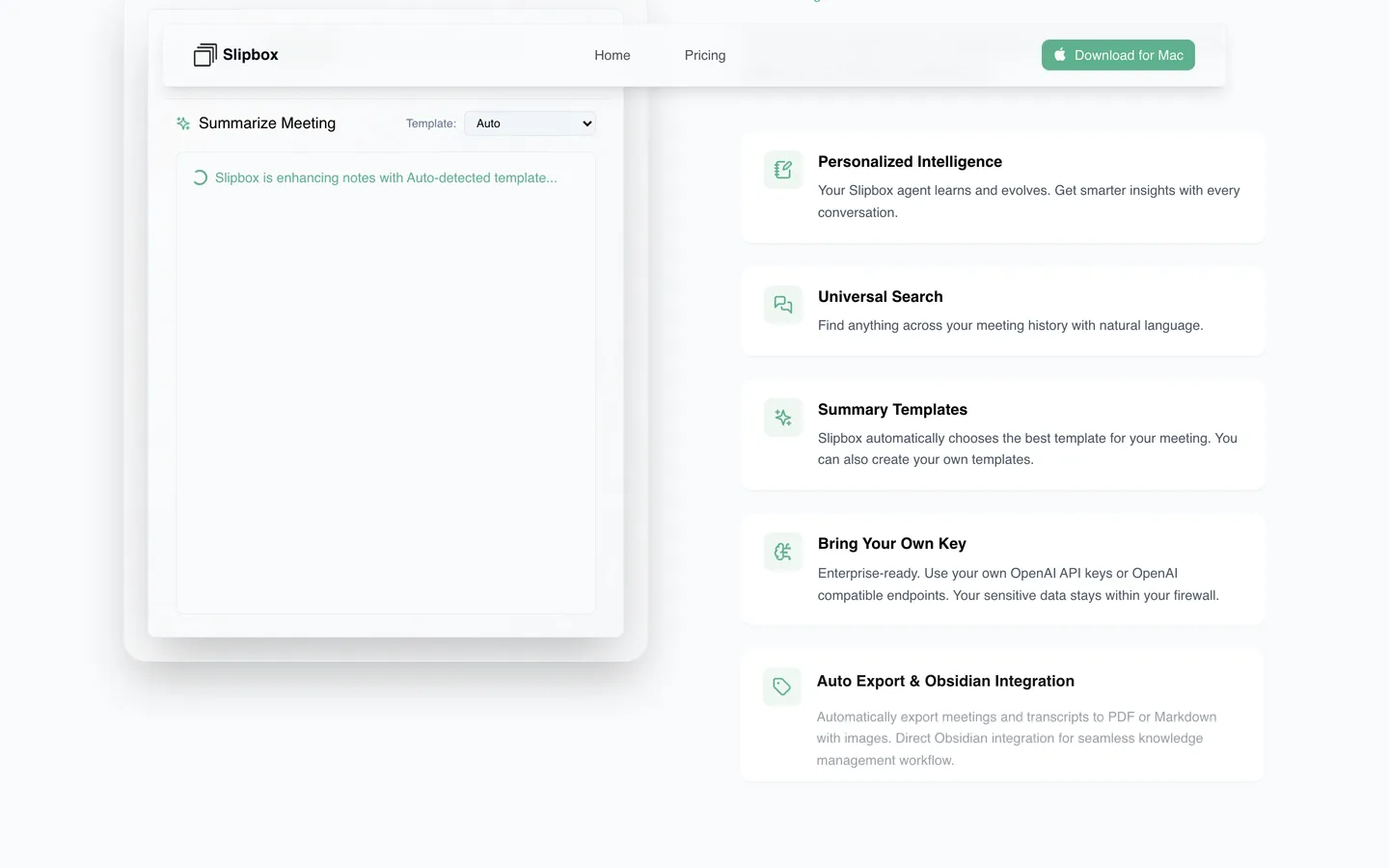
Slipbox pairs local capture with a hybrid architecture. It records system audio and your microphone on the device with no bot, and transcription and speaker identification run locally. On top of that it adds cloud features: a live "ask anything" assistant during the meeting and a natural-language search across your meeting history. Those cloud features are opt-in, and Slipbox offers a bring-your-own-key option for the model provider.
That hybrid design is the honest distinction from Weeve. Slipbox's local capture is real, but the intelligence layer reaches into the cloud when you turn it on, whereas fully on-device is Weeve's default with nothing to enable. If live in-meeting assistance and semantic memory are worth a partial cloud path to you, Slipbox is a strong option, and it runs on both Mac and iPhone.
Key features
Local recording and transcription with no bot
Live "ask anything" assistance during meetings
Natural-language search across meeting history
Bring-your-own-key option for the cloud AI features
Best use cases
Someone who wants live prompts and answers mid-meeting
A Mac user who also wants capture on iPhone
Pricing
Hobby: free
Pro: USD 99 a year
Enterprise: custom pricing
Pros
Local capture with no bot in the call
Live assistance and semantic search across past meetings
Mac and iPhone support
Cons
The intelligence layer is hybrid, so parts of the workflow can touch the cloud
Cloud features depend on your own provider keys
Which private AI meeting assistant is right for you?
If your conversations are confidential by profession
Choose Weeve. If you are a therapist, notary, clinician, consultant, or work in IT and security, the sessions and privileged calls stay on the Mac, and there is no cloud processor to explain to a client or a regulator. You get the managed local workflow without building it, which is the point when your day is meetings, not model configuration. It is worth reading why a private note-taker should stay off the cloud before you decide. And if a genuinely free tier is the deciding factor, our roundup of the best free meeting recorder apps covers that angle. For cloud tools alongside the local ones, our best AI note takers list ranks ten by where they process your meetings.
If you need a mobile app or Windows support
Look at Jamie or Meetily. Jamie gives you cross-platform apps and mobile capture through its EU-hosted cloud, which suits a mixed-hardware team that accepts off-device processing. Meetily runs on Windows and Linux as well as Mac and stays local with the right model, if you are comfortable self-hosting. Weeve is Mac only today, so for either of these needs it is not your tool.
If you want open source and to own your data
Choose Anarlog or Meetily. Anarlog is open-source and cross-platform, with Markdown export and your own choice of AI provider, and Meetily is a self-hostable, MIT-licensed stack you can point at your own models. Both are genuinely local with a local engine. The trade-off is that you assemble and maintain the AI setup, where Weeve does that for you.
If you mainly transcribe files and media
Choose MacWhisper. For batch-transcribing interviews, lectures, or a backlog of recordings locally, with strong exports and a one-off licence, it is the most direct fit. It is a transcription workstation rather than a meeting-memory tool, so pair it with something else if you also need organised notes.
FAQ
Is there an AI notetaker that works offline?
Yes, several. Weeve records, transcribes, separates speakers and writes the summary on the Mac with no connection at all once its models have downloaded, and MacWhisper does the same for transcription. Meetily and Anarlog work offline too, but only if you point them at a local model rather than a cloud provider. What none of them avoid is the first download, because every local tool needs a connection once to fetch the model it runs on. After that the wifi can stay off.
What is a private AI meeting assistant?
A private AI meeting assistant records and summarises your meetings while limiting where the audio and transcript go. The strictest versions keep everything on your device, so the recording never reaches an external server. Others process in the cloud but promise to delete audio or avoid training on it. The privacy model varies by tool, so check where each one actually processes and stores your content.
Which AI meeting assistant keeps everything on your device?
Weeve keeps recording, transcription, speaker diarisation, and summaries all on your Mac, with no upload step. MacWhisper is also fully local for transcription, and Anarlog and Meetily are genuinely local when paired with a local model such as Ollama. The difference is that Weeve makes the local path the default with no setup, while Anarlog and Meetily ask you to assemble the stack.
Does Jamie store your meeting recordings?
Jamie processes meeting audio in an EU-hosted cloud and states on its site that the audio is deleted after transcription, as of July 2026. It also states that customer data is not used to train models. This is a cloud model with a retention promise rather than an on-device architecture, so the recording does leave your machine to be processed.
Is there an AI notetaker that works without a bot joining the call?
Yes. Every tool on this page captures audio without adding a visible bot to the meeting, including Weeve, Jamie, MacWhisper, Anarlog, Meetily, and Slipbox. Weeve does it by capturing the Mac's own system audio, so it works with Zoom, Google Meet, and Microsoft Teams without any integration or participant appearing in the call.
Can Weeve record in-person meetings, not just video calls?
Yes. Because Weeve captures the Mac's microphone and system audio directly, it records an in-person conversation across a table the same way it records a video call. It also imports existing audio and video files and transcribes them locally, so a call, a meeting, and an old recording all go through one local workflow.
Is Weeve or Slipbox more private by default?
Weeve is fully on-device by default, while Slipbox is hybrid. Both capture and transcribe locally with no bot, but Slipbox's live assistant and cross-meeting search are opt-in cloud features, whereas Weeve keeps summaries and search on the Mac with nothing to turn on. If you want zero cloud in the workflow out of the box, Weeve is the stricter default; if you want live in-meeting help, Slipbox's hybrid path may be worth it.
Is Meetily less private than Weeve because it is open source?
No. Meetily is genuinely local: run with a local model, all processing stays on your machine, and it is open-source under an MIT licence. The difference from Weeve is philosophy and effort, not privacy. Meetily is configurable and technical and expects you to install and maintain it, while Weeve is an opinionated, no-setup Mac experience. If you want full control and can self-host, Meetily is a strong choice.
What is the best private AI meeting assistant for a Mac?
For a privacy-sensitive Mac professional who wants the private path without maintaining it, Weeve is the strongest managed choice, because the AI and the recording both stay on the Mac by default. If you want an open toolkit and portable files, Anarlog or Meetily fit better; if you need Windows or mobile, Jamie or Meetily are the honest answer. Check setup and formats on Weeve support if you are weighing the switch.
Private should not mean local only if you configure it correctly. It should mean the normal path keeps the conversation on your Mac.
If you want to see what that looks like in practice, Weeve's free Starter plan runs the recording, the transcript and the summary on a Mac, 10 recordings in total, with no cloud step in the normal path. It is Mac only and needs Apple Silicon. On Windows or a phone, the browser transcriber does the same work one file at a time inside the tab.

