Research
AI notetaker for Mac that keeps meetings on your device

Dylan de Heer

An AI notetaker for Mac records your meetings, turns the audio into a transcript and writes the summary, so you can take part instead of taking notes. Weeve is an AI note taker that does all three on the Mac itself: no bot joins the call and nothing of the meeting uploads. It needs an Apple Silicon Mac on macOS 14.4 or later, and the Starter plan is free for 10 recordings in total.
You finish a client call, and the useful part of it is already fading. The decision someone talked themselves into. The follow-up you promised. Writing it up costs you the twenty minutes after every meeting, and the tools that offer to do it for you want the recording sent to their servers first.
For work covered by a professional duty of confidentiality, that upload is not a detail. It is the whole question.
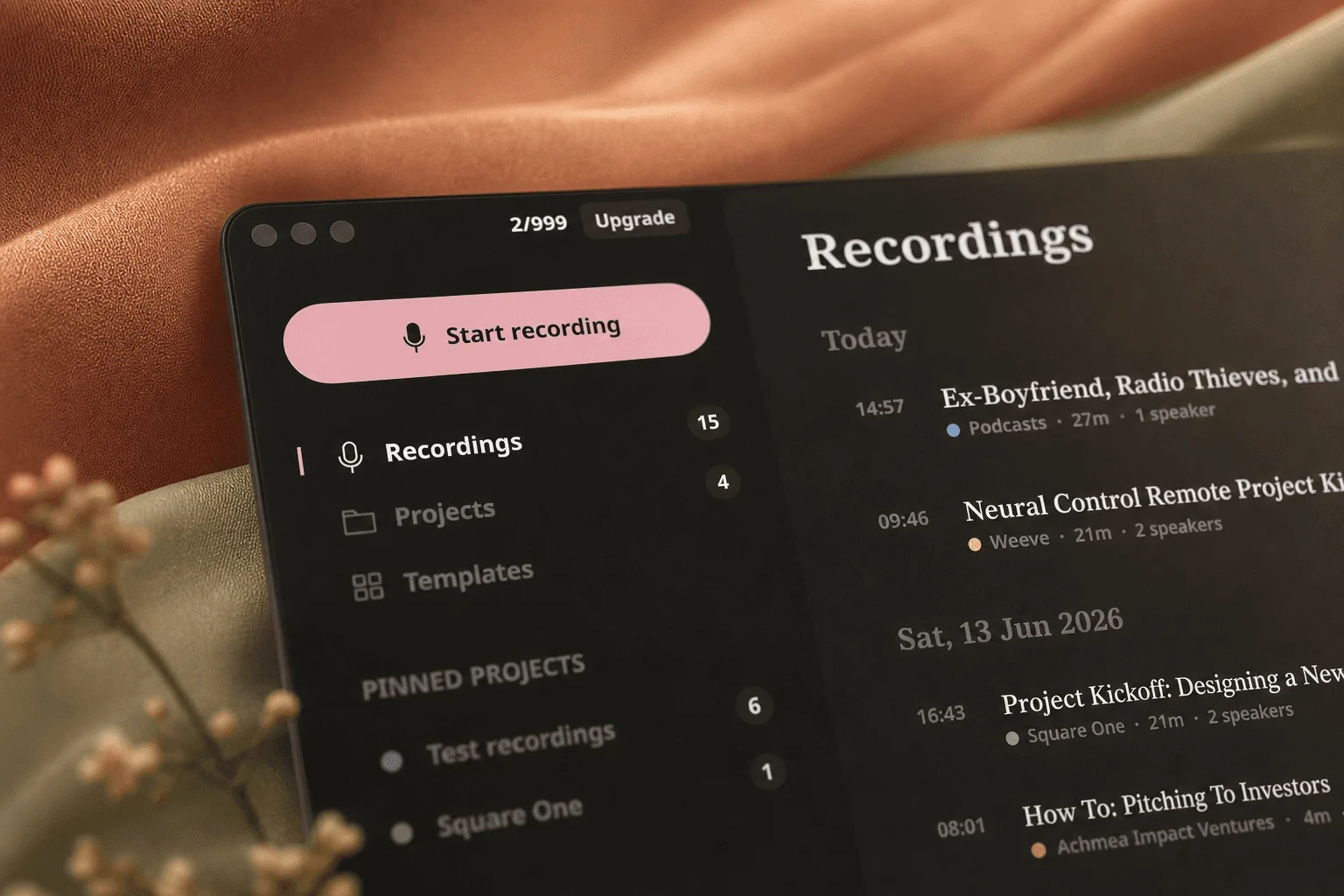
Weeve records the Mac's audio, transcribes and summarises meetings entirely on your Mac. The AI runs on the device, the notes stay on the device, and no bot appears in your call.
What makes this different from a cloud notetaker
Most tools in this category process your meeting somewhere else. The audio leaves your machine, a server transcribes it, a model summarises it, and the result comes back. Weeve does all three steps locally, using models that run on your Mac.
There is no upload step. That matters twice: nothing to intercept or explain to a client, and no upload step to fail halfway through a call.
Why cloud notetakers do not fit confidential Mac work
If you are a coach, therapist, consultant, lawyer or IT lead, the objection is rarely about features. It is about where the conversation ends up.
A cloud copy is a disclosure question. A recording on a vendor's server is something you may have to explain to a client, a regulator or a procurement team.
Subprocessors stack up. Cloud notetakers commonly route transcription through one provider and summarisation through another. Each one is a name on your list.
Training policies change. Several tools train on customer content unless you find the setting. A policy can be revised; an architecture cannot.
The bot changes the room. People talk differently once a named assistant joins the call, and they are right to notice it.

Consent still applies whatever you use. Ask before you record, every time. What changes with a local tool is the answer you can give when someone asks where the recording goes: it stays on this Mac. The longer version of this argument is in why your AI note taker should stay off the cloud.
Where the AI runs, and where your Mac keeps your notes
Both stay on your machine. That phrasing is deliberate, because "local" now means several different things in this category. Some tools keep your files locally but send the summarisation to an API. Others store locally and process in the cloud.
With Weeve, recording, speech recognition, speaker diarisation and summary generation all happen on the Mac, using on-device models, with support for Gemma 4 for local summaries. Nothing is uploaded in the core workflow, so there is no server-side copy to secure, retain or hand over. The design behind that is described in how Weeve stays private by default.
Built for macOS, not ported to it
Weeve captures your Mac's own audio. It does not join your meeting, install a browser extension, or ask the meeting platform for permission.
Works with Zoom, Google Meet and Microsoft Teams without any integration, because it listens to the machine rather than the app
No visible participant in the attendee list
Imports existing audio and video files, including MP4, and transcribes them on the device
Keeps the original recording locally, so you can replay a passage and check the transcript against what was actually said
Local models sized for Apple silicon
For a platform-specific walkthrough, how to transcribe Zoom meetings automatically covers the setup end to end.
How to set up an AI note taker on your Mac
Setup is one download and four permissions.
Download Weeve for Mac and open it. It runs on Apple Silicon Macs with macOS 14.4 or later.
Allow the four permissions macOS asks for on first open: microphone, system audio, accessibility and start at login. Weeve uses macOS's dedicated system audio API rather than screen recording, so nothing on your screen is captured.
Start a recording when the meeting starts. Zoom, Google Meet, Microsoft Teams and in-person conversations all work the same way, because Weeve listens to the Mac rather than joining the call.
Stop when the meeting ends. The transcript and summary are written on the Mac and saved to your library there.
A day of client calls on your Mac
Four sessions, back to back. You ask each person for consent, start the recording, and close the laptop between calls.

The transcript builds while you talk. When a session ends the summary is already written, on the machine in front of you, ready to check and drop into wherever you keep client notes. What you save is the write-up time after every call. What you avoid is a fifth thing to explain in your next data protection conversation.
AI notetaker for Mac: how the options compare
Weeve | Typical cloud notetaker | Platform built-in | |
|---|---|---|---|
Where the AI runs | On your Mac | Vendor cloud | Vendor cloud |
Where recordings live | On your Mac | Vendor cloud | Vendor cloud |
Bot joins the call | No | Often, sometimes optional | No |
Trains on your content | No | Sometimes, check the setting | Varies |
Works across Zoom, Meet and Teams | Yes, captures Mac audio | Usually | No, tied to one platform |
Keeps the raw audio | Yes, locally | Varies | Usually |
Platforms | Mac only | Usually Mac, Windows and mobile | That platform's apps |
Free tier | Starter plan | Varies | Included with a paid seat |
Cells describe categories rather than named products, because pricing and policies in this space change monthly. For a named comparison, see the roundup of the best AI note-taking apps.
Honest limits of a Mac-only notetaker, and who should choose something else
This page would not be worth much without this section.
Mac only, and Apple Silicon only. Weeve needs an Apple Silicon Mac on macOS 14.4 or later. There is no Windows build yet (a Windows version is on the waitlist) and no mobile app. If your day spans a PC or a phone, a cross-platform cloud tool serves you better.
The summary arrives after the call, not as live captions scrolling during it. If you need real-time text on screen, choose a tool built for that.
No shared team workspace. There is no cloud sync, no co-editing and no admin console, because none of that is possible without a cloud. Weeve suits one professional's private archive, not a team editing the same document.
Not a clinical or legal documentation platform. It gives you an accurate private record to write your own notes from; it does not generate formatted case or session documentation.
Other local Mac notetakers exist, and it would be misleading to pretend otherwise. Hyprnote is open source and runs on-device models you can swap out. Talat is a one-time purchase from a solo developer with no account required. Mumble and Alter both run locally but also offer cloud modes and hosted models when you want them.
If you enjoy choosing your own models and wiring up the setup, an open-source option will suit you better. If you would rather buy something once than subscribe, that exists too. The private AI meeting assistants roundup compares the local options side by side. Weeve is the opinionated version: one download, no configuration, no cloud mode to accidentally leave on.
FAQ
What is the best AI notetaker for Mac?
If the recording must not leave your machine, Weeve. Recording, transcription and summarisation all run on the Mac by default, and there is no cloud mode to leave switched on by accident, which is what separates it from most tools that describe themselves as local. If you need Windows, a phone, or live captions scrolling during the call, a cloud notetaker is the better answer and you should use one.
Does Apple have an AI notetaker?
Partly. Apple Notes on a Mac with M1 or later records audio into a note, transcribes it on the Mac and, with Apple Intelligence switched on, summarises it, all free with the OS. It records the microphone only, so on a video call it hears the other side only through your speakers, and not at all if you wear headphones. What Apple Notes transcription cannot do covers the limits in full.
Is there a free AI note taker for Mac that works offline?
Yes. Weeve's Starter plan is free and covers 10 recordings in total with 2 projects. It needs an Apple Silicon Mac on macOS 14.4 or later. Because processing happens on the device rather than on a server, the transcription and summary work without sending your audio anywhere. You can download Weeve for Mac and run it against real meetings before paying anything.
Does the AI run on my Mac, or in the cloud?
On your Mac. Speech recognition, speaker diarisation and summary generation all execute on the device using local models. That is the distinction worth checking with any tool that calls itself local, because some keep your files locally while still sending the summarisation step to an external API.
Does a bot join my calls?
No. Weeve captures your Mac's own audio, so nothing appears in the participant list and the meeting platform never needs to know it is running. That is also why you should tell people you are recording: there is no visible reminder doing it for you.
Does it work with Zoom, Google Meet and Microsoft Teams?
Yes, all three, with no integration to set up. Weeve listens to the Mac rather than plugging into the meeting app, so the same workflow covers every platform plus in-person conversations and imported files.
What about transcribing recordings I already have?
Weeve imports audio and video files, including MP4 and other common formats, and transcribes them locally. For a single file you do not want to install anything for, the free browser-based transcriber produces a speaker-labelled transcript without the recording leaving the page.
Can ChatGPT take notes in a meeting?
Yes, on a Mac. ChatGPT's record mode runs in the macOS desktop app on the Plus, Pro, Business, Enterprise and Edu plans, records the meeting and writes notes you can then rework. OpenAI deletes the audio after transcription, but the transcript stays in your account, and on a personal Plus or Pro plan it can be used for training unless you switch off "Improve the model for everyone". What ChatGPT record mode does with your meeting covers the details. Weeve keeps the transcript on the Mac instead.
Is an AI note taker worth it?
If you write up meetings by hand, usually yes. The transcript keeps the exact words and numbers that memory drops, and you can listen properly instead of typing. It is worth less if your meetings rarely need a record, or if the people you meet will not agree to being recorded. Like all speech recognition, accuracy drops on heavy accents, overlapping speakers and noisy rooms, so check the notes against what you remember for the first few calls. The Starter plan is free, so you can find out on your own meetings before paying.
Do I need permission before recording a meeting?
Yes, and it is worth building into how you open a call. Many jurisdictions require everyone present to agree, and asking is the professional norm regardless. On-device processing does not remove that step; it just makes the honest answer to "where does this go" a single sentence.
What are the good local transcription tools for Mac if privacy is the priority?
Start with Weeve if you want it working out of the box, because on-device is the only mode it has, so there is no setting to get wrong. Talat is a solid alternative if you would rather pay once than subscribe, and Hyprnote or Meetily suit you if you are comfortable choosing and configuring your own models. Treat Mumble and Alter differently: both run locally, but both also offer cloud modes, so the privacy answer depends on which one is switched on. That is the question to ask of any tool in this category, because local by default and local as an option are not the same promise.
Who is behind Weeve?
Weeve is built in Amsterdam by a small team backed by Achmea Impact Ventures. If data residency or vendor questions come up in your procurement process, more about the team is on the about page, and Weeve support covers setup and supported formats.
Try it on your next few calls. The Starter plan is free, nothing uploads, and you can judge the notes against the meeting you actually had: download Weeve for Mac.